Transcribe attachments
DiscMeet can transcribe a voice message, or an audio or video file someone posted in a channel. The transcript is posted as a reply to that message. No voice call or recording is needed.
Transcribe a message
- Hover over the message with the file and click More (the three dots), or right-click the message. On mobile, press and hold it.
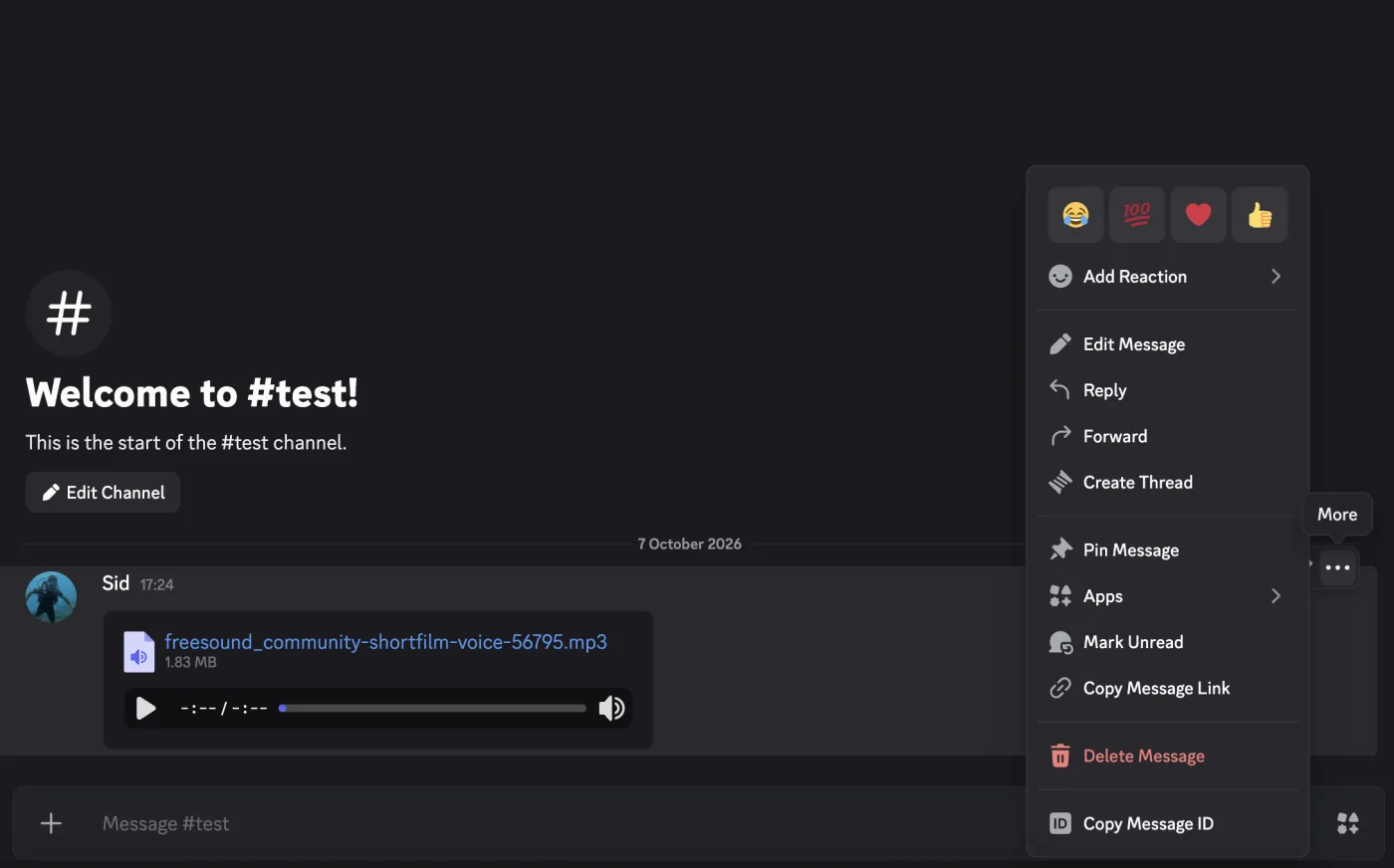
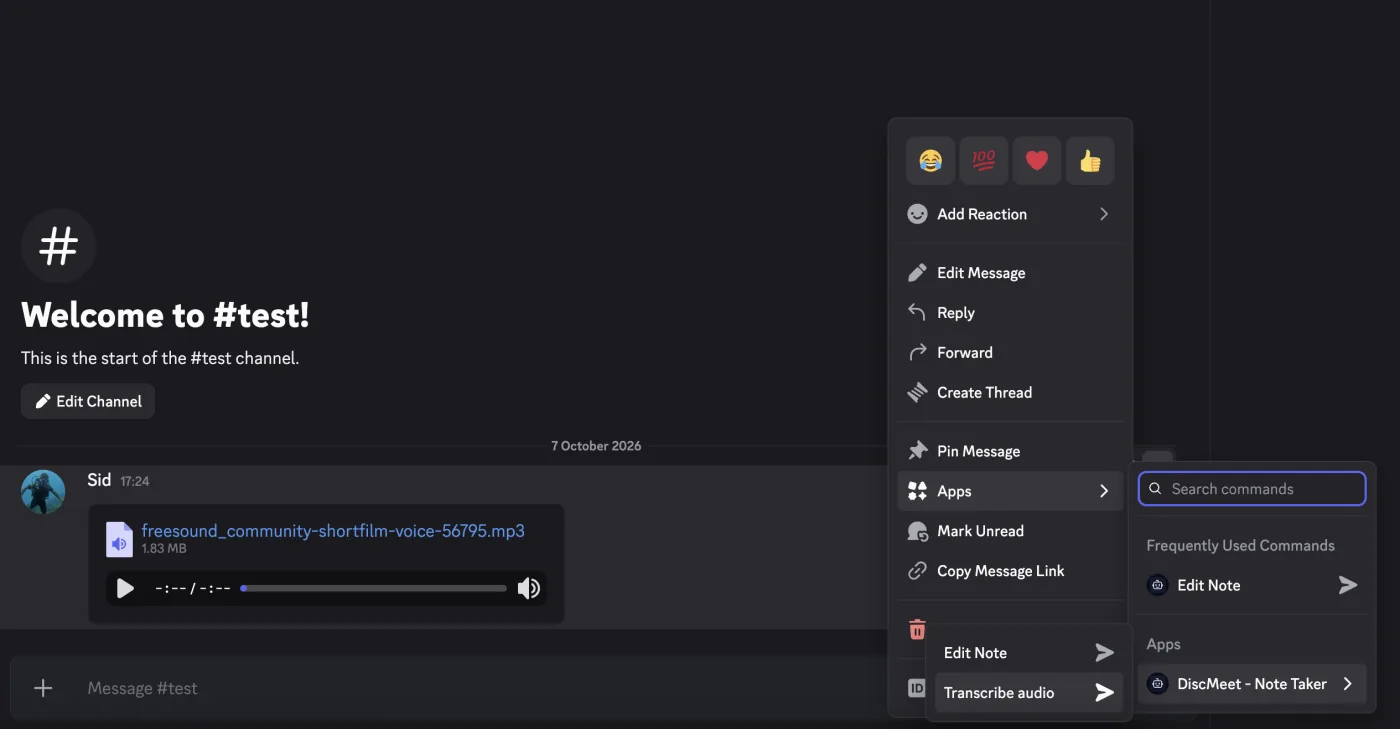
- Go to Apps, hover over DiscMeet - Note Taker, and choose Transcribe audio.
- DiscMeet tells you privately that it’s transcribing. When it’s done, the transcript appears as a reply to the message.
Short transcripts are posted as a normal message. Anything longer than one Discord message (about two minutes of speech) is attached as a transcript.txt file.
The command’s name follows your Discord app language, so you may see it translated.
What it works with
- Voice messages recorded in Discord.
- Audio files, such as MP3, M4A, WAV, OGG, FLAC and AAC.
- Video files, such as MP4, MOV and WebM. Only the sound is transcribed.
If a message has several files, the first audio or video file is transcribed. Files can be up to 500 MB and 4 hours long.
If DiscMeet says the message has no audio or video file, upload the file again and use Transcribe audio on the new message.
Who can use it
The same people who can start recordings: the server owner, anyone with Administrator or Manage Server, and anyone with a meeting access role. See Who can start meetings.
If your server uses consent opt-in, you can only transcribe someone else’s file if they have opted in. Your own files are always fine.
Language and vocabulary
Files are transcribed in your server’s language, and your transcription vocabulary is used so names and terms are spelled correctly.
Hours and plans
- Paid plans: the file’s length counts toward your monthly hours, the same as a recording. You can transcribe a file as long as the hours you have left.
- Free plan: each file of 30 seconds or more uses one of your free recordings, and a file can be up to 1 hour long.
A file that fails, or has no speech in it, doesn’t count toward anything.
What’s kept
The transcript is only posted in Discord. DiscMeet doesn’t save it, and it doesn’t appear on the dashboard, in webhooks or in the API. DiscMeet only keeps the Discord message ID and how long the file was, for billing.
Each message can only be transcribed once.
Limits
To keep things fair for everyone:
- 10 files per person per hour
- 30 files per server per hour
- 3 files being transcribed at once per server
If something goes wrong
DiscMeet tells you privately what happened. If it takes longer than about 15 minutes, the message is posted as a reply to the file instead. The common cases:
| Message | What to do |
|---|---|
| No audio or video file | Upload the file again and use Transcribe audio on the new message |
| The file is longer than you can transcribe | Upgrade for more hours, or wait for your hours to reset |
| No speech was found | Check the file has someone talking in it |
| Couldn’t download the file | Try again, or upload the file again if the message is old |
| Too many files in the last hour | Wait a little and try again |